 Sponsored post. AYNIcam is the official sponsor of Type Fighter and is built by the same independent developer. Everything below comes from aynicam.app and the App Store listing as of September 2026.
Meet our sponsor
Every free game has a server bill, and someone has to pay it. For Type Fighter, that someone is AYNIcam: an AI dashcam app for iPhone made by the same independent developer who builds this game. That is why there is an amber AYNIcam card on the main menu. It is not an ad-network placement that changes every day. It is the project that keeps this typing game online, free and growing.
AYNIcam's pitch fits in one line from its website: "Your iPhone. Your AI dashcam. Your road companion." Mount your phone on the windshield, open the app, and the camera you already carry becomes a dashcam that understands what it is looking at. It is free to download on the App Store for iPhones running iOS 17 or later, with an optional Pro subscription for drivers who want longer, sharper clips.
The name comes from the Arabic word ayni, "my eye", and the amber eye in the app icon is a good summary of the idea: a second pair of eyes on the road that never gets tired.
What AYNIcam actually does
A classic dashcam records video and nothing else. AYNIcam records too, but the interesting part is the AI running on the phone itself. Seven kinds of road objects are detected live: person, bicycle, motorcycle, car, bus, traffic light and stop sign. Boxes and labels appear directly over the camera image, and the app can speak up when something matters.
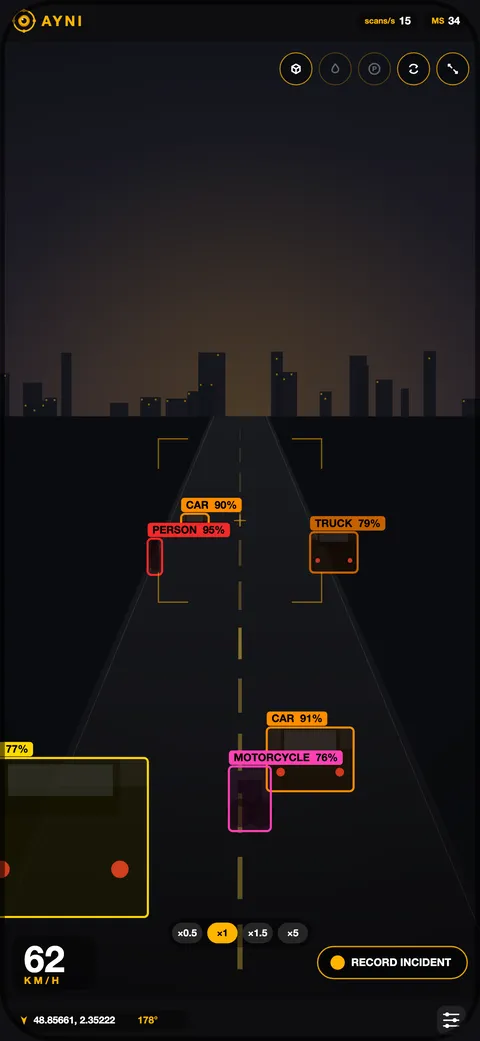
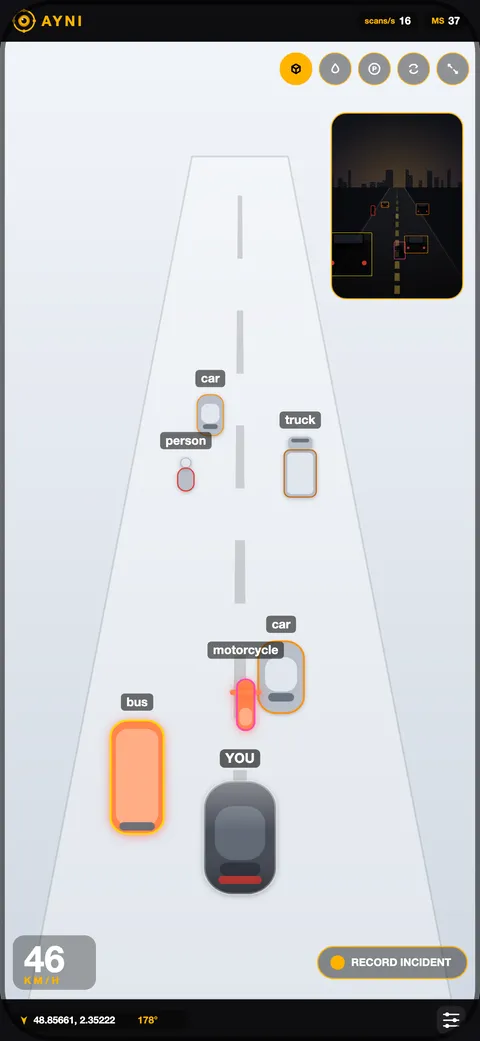
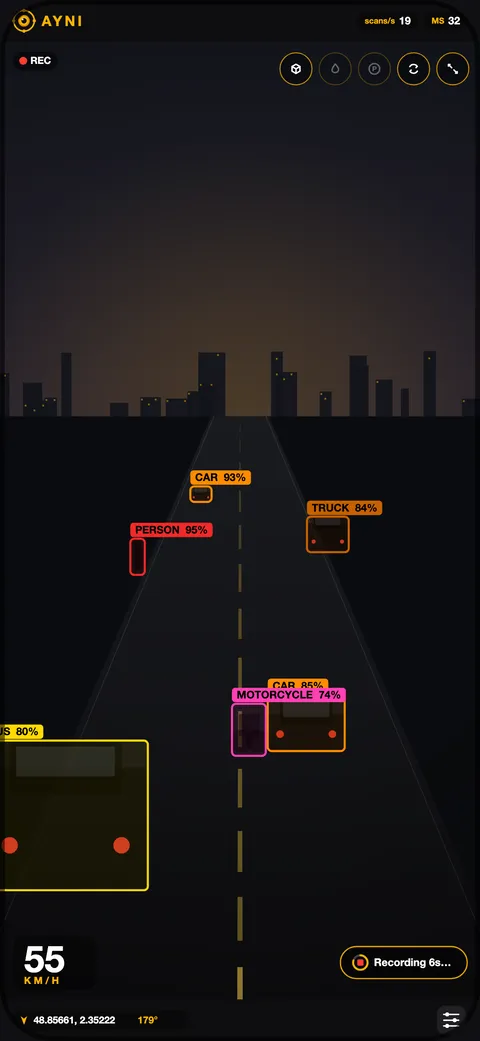
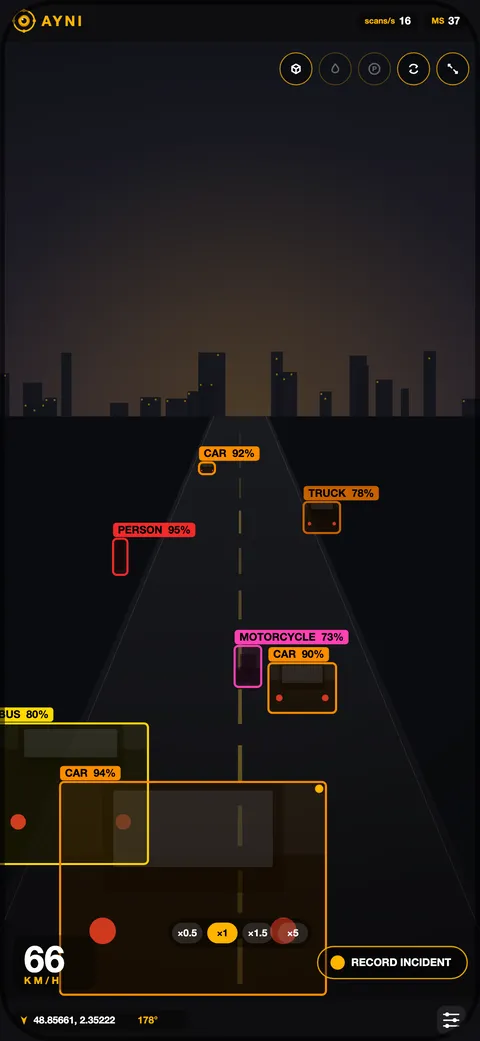
App interface illustrations from aynicam.app, showing the views as they appear in the app. They are not road-test footage.
Spoken alerts in three languages
Optional voice alerts warn you about nearby objects, traffic-light changes and traffic starting to move ahead of you. They are available in English, French and Arabic, so the same app works for a lot of the countries on the Type Fighter leaderboard, and our Arabic-typing players get alerts in their own language.
Incident clips, saved on your phone
AYNIcam keeps a local rolling buffer of recent footage. When something happens, you keep it as an incident clip that you can review and share. The free plan saves up to 20 seconds at 720p; Pro extends that to 30 seconds at Full HD 1080p, adds microphone audio, removes the watermark and stamps the time on the clip. Version 2.0 also added automatic recovery for interrupted recordings.
Emergency Mode
Emergency Mode is opt-in and you set it up before the journey. If the app detects a possible severe crash, it starts a response countdown. If you are fine, you cancel it, by voice if you have granted the permissions. If you do not, it preserves the available video and incident details locally, with your location when available, then opens the emergency call prompt and prepares a message for the contacts you chose. iOS still asks you to confirm before anything is sent. AYNIcam describes it as "an optional aid, not guaranteed crash detection or automatic emergency dispatch", and we like that it says so out loud.
AYNIcam is free on iPhone. Downloading it — even the free version — is the easiest way to support Type Fighter.
Download on the App StoreFive views for every part of the drive
The camera feed is only one way to look at the road. AYNIcam ships five views, four of them free, and switching between them is one tap.
| View | What it shows | Plan |
|---|---|---|
| Detection | Boxes and labels over the live camera image | Free & Pro |
| Virtual View | A 2.5D scene that turns detections into readable objects with less clutter | Free & Pro |
| 3D Maps & navigation | Mapped roads and buildings, approximate detected objects, destination search, route guidance and weather in one view | Free & Pro |
| Parking View | A simplified scene beside the camera with proximity beeps for nearby detections | Free & Pro |
| Segmentation | Coloured object masks and a road-surface overlay in a dedicated Perception view | Pro |
The 3D map is the headline of version 2.0, released on September 15, 2026. The map follows your pace: it opens up as you speed up and pulls in as you slow down, with your next turn and the local forecast in the top bar. You do not even need the app to see it. There is a 3D map demo that runs in the browser on desktop and mobile.
Why we think it is the best dashcam app on iPhone
There are plenty of dashcam apps on the App Store. Most of them are a record button with a subscription attached. AYNIcam is different in ways that actually matter on the road.
- No extra hardware. A dedicated dashcam is another gadget, another cable and another SD card to forget. AYNIcam uses the excellent camera already in your pocket.
- The AI runs on the phone. Object detection happens on the iPhone. Camera frames are not sent to a cloud AI service, and clips stay on your device until you decide to share them. That is rare in this category and it is the reason the app can react instantly.
- It does more than record. Spoken alerts, Emergency Mode, Parking View and 3D navigation turn a passive recorder into an active companion.
- The free plan is real. Detection, all four main views, voice alerts and Emergency Mode cost nothing. Pro is an upgrade for longer clips and audio, not a paywall in front of the core idea.
- Early users agree. At the time of writing, the App Store listing shows a 5.0 rating from its first reviewers.
- It is honest about its limits. The website says plainly that it is a driver assistance aid, not autopilot, not a collision-avoidance system and not a replacement for parking sensors. Marketing that tells you what a product does not do is marketing you can trust.
Put together, that is why we are comfortable calling AYNIcam the best AI dashcam app for iPhone right now, and, full disclosure, why we are proud to have it as our sponsor.
Free vs AYNI Pro
Start with Free. It is the full idea of the app, not a demo. Pro is for drivers who want the longest, cleanest evidence clips and the extra Perception view.
| Feature | Free | AYNI Pro |
|---|---|---|
| Detection, 3D Maps, Virtual & Parking views | Included | Included |
| Voice alerts & optional Emergency Mode | Included | Included |
| AI | AYNI AI | AYNI Pro AI + Perception (segmentation) |
| Incident clips | Up to 20 sec, HD 720p | Up to 30 sec, Full HD 1080p |
| Save an incident | In driving context | Whenever the camera is active, including stationary |
| Audio | Video only | Microphone audio (permission required) |
| Watermark / timestamp | AYNI watermark | No watermark, timestamp |
| In-app gallery | Limited gallery | No app-imposed clip limit |
| Driving tools | Classic & Grid | All tools |
AYNI Pro is an optional auto-renewable monthly subscription. On the U.S. storefront it was US$9.99 per month when we checked in September 2026; regional prices, any introductory offer and the current terms are shown before you buy, and Restore Purchases is available. Clip storage is limited by the free space on your phone. The full comparison lives on the Free and Pro page.
Getting started in five minutes
- Download AYNIcam from the App Store. You need an iPhone on iOS 17.0 or later.
- Mount the phone securely on the windshield or dashboard with a clear view of the road, and plug it in for longer drives.
- Grant the camera permission. Location lets the 3D map, routing and weather work, and Pro users can allow the microphone for clip audio.
- Open Settings and switch on Emergency Mode before you set off if you want it, then pick the alert language: English, French or Arabic.
- Choose a view. Detection for the full picture, Virtual View for a calmer screen, 3D Maps when you need directions.
If you get stuck, AYNIcam publishes 18 guides in English, French and Arabic covering setup, saving and exporting incident clips, reading detection confidence, and choosing an AI model. They are all on aynicam.app.
Safety first
We would be doing you a disservice if this read like the app drives the car. It does not, and AYNIcam is unusually clear about that. It is a driver assistance aid: it does not brake, steer or replace your judgement, and Parking View does not add a rear camera or replace parking sensors. Detected distances and orientations are approximate.
Keep your attention on the road, interact with the phone only when it is safe, mount it securely, and follow your local laws on windshield mounts and recording. Emergency Mode is a helpful backup, not a guarantee, so set it up in advance and tell the people you list as contacts.
How sponsoring Type Fighter works
AYNIcam pays for the multiplayer servers and for the time that goes into new fighters, modes, themes and events. In return, Type Fighter shows one clearly labelled AYNIcam card on the menu, an AYNIcam button, a link in the footer and this article. That is the whole deal, and it is why the game has no paywall, no loot boxes and no forced ads between matches.
If you download the app, even just the free version, you are helping keep Type Fighter free for everyone. If you would rather support the game directly, the Support the project link in the footer is always there. Either way: thank you, and see you on the leaderboard.
Visit aynicam.app · Download on the App Store · Try the 3D map in your browser
AYNIcam is free on iPhone. Downloading it — even the free version — is the easiest way to support Type Fighter.
Download on the App StoreFAQ
Is AYNIcam free?
Yes. AYNIcam is free to download on iPhone (iOS 17 or later) and the free plan includes AI detection, the Detection, Virtual, 3D Maps and Parking views, voice alerts and Emergency Mode. AYNI Pro is an optional monthly subscription, US$9.99 per month on the U.S. storefront as of September 2026, that adds 30-second 1080p clips, microphone audio, no watermark, an unlimited gallery and the Segmentation view.
Which iPhones work with AYNIcam?
Any iPhone running iOS 17.0 or later. Performance depends on the model, the AI model you choose, temperature and free storage, so a recent iPhone gives the smoothest experience.
Does AYNIcam upload my video to the cloud?
No. Object detection runs on the iPhone, camera frames are not sent to a cloud AI service, and incident clips are stored locally until you choose to share them. Maps, destination search, routing and weather do use network services.
Does AYNIcam work offline?
Detection, alerts and incident recording run on the device. The 3D map, destination search, route guidance and weather need a network connection.
Does AYNIcam replace a dashcam or parking sensors?
It is a driver assistance aid, not a collision-avoidance system, not autopilot and not a replacement for parking sensors. It can replace a basic dashcam for many drivers, but you stay responsible for the car.
Is there an Android version?
No. AYNIcam is an iPhone app and there is no official Android app or APK.
Which languages do the spoken alerts support?
English, French and Arabic.